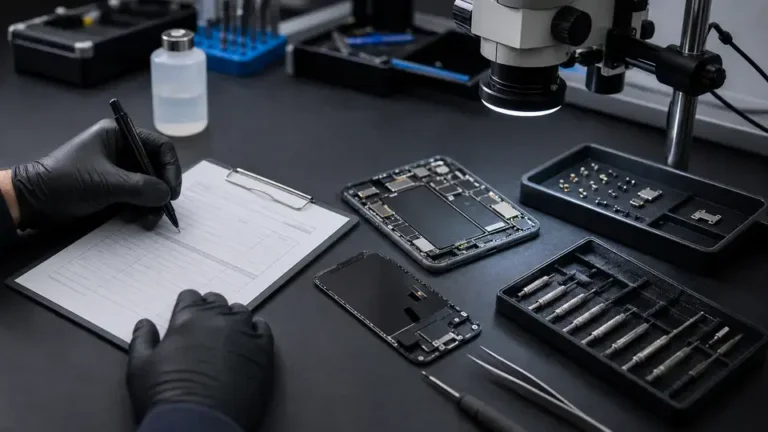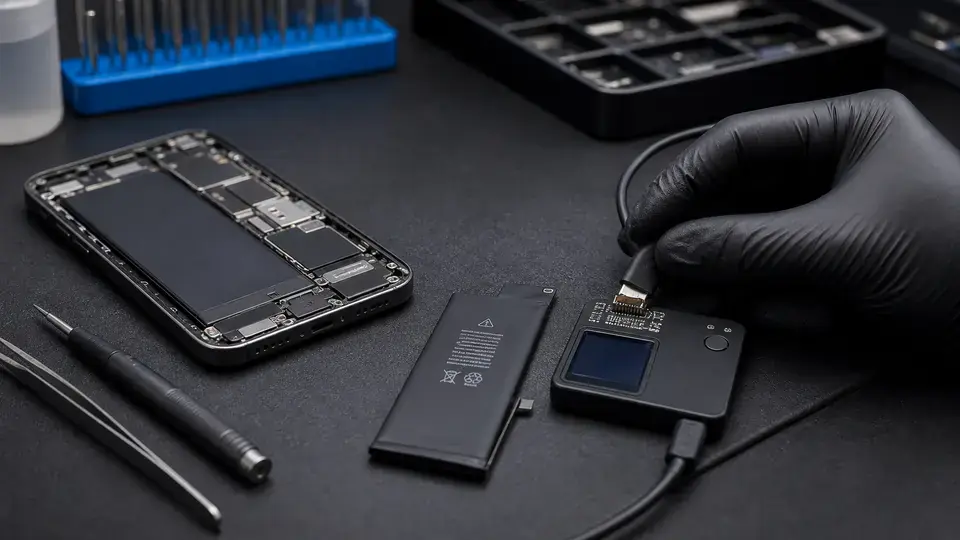
“My phone says Service Recommended, is it dying?” We hear some version of that every week. The short answer is no, not usually. That message is not a warning your device is about to fail. It is a chemistry report. In eleven years at the Repair Center, the gap between what the screen says and what people think it says is wide enough to walk through carefully. Here is what iOS and macOS are actually measuring, what the 80% line really signals, and when a swap is worth your money.
How iOS and macOS measure battery health
Apple’s battery health screen reports three things, and they are not the same. Maximum capacity is the headline percentage: how much charge the cell holds now against what it held new. 85% means roughly 85% of original charge, so fewer hours between top-ups. Cycle count is the number of full charge cycles, where one cycle equals 100% of capacity used, not necessarily in one sitting. Peak performance capability is the quiet one: whether the battery can still deliver sudden bursts of current on demand. A cell can read a healthy capacity percentage and still struggle to deliver peak current if its internal impedance has crept up, and impedance is what actually triggers shutdowns.
On iPhone 15 and later running iOS 18, this lives under Settings, Battery, Charging & Battery Health. Macs report the same data under Settings, Battery, with a Battery Health detail panel. These are estimates the device refines over time from the fuel-gauge IC, not lab measurements, so small day-to-day wobbles are normal.
What the 80% threshold and “Service Recommended” really signal
Apple designs iPhone batteries to retain 80% of original capacity at 500 complete cycles under ideal conditions. That 80% figure is not a cliff. It is the point where Apple considers the cell aged enough that you might notice it, and where AppleCare battery coverage kicks in. When capacity drops to or below that line and peak performance capability has degraded, iOS shows “Service Recommended.” macOS shows the equivalent “Service Recommended” or “Service Battery.”
“Service Recommended” is a suggestion, not a diagnosis. It means the battery has aged past Apple’s comfort line. It does not mean the battery, or the board, is broken.
Plenty of people run a phone at 79% for another year without trouble. The message is a nudge toward replacement, nothing more. Whether you act on it depends on how the device behaves, which brings us to throttling.
Throttling and Performance Management
Performance Management sits at the center of the old “Apple slows down old phones” controversy, and it is more reasonable than its reputation. iOS reads battery temperature, state of charge, and impedance, then dynamically caps how hard the CPU and GPU can spike. The goal is to stop the device from cutting out when an aged cell cannot deliver a sudden power demand.
Critically, this only switches on after a device has already had an unexpected shutdown caused by the battery failing under peak load. Until that happens, performance is untouched regardless of the percentage. If your phone feels sluggish and the battery screen notes performance management has been applied, a fresh cell typically restores full speed.
The genuine-battery message and the iOS 18 change
Install a non-Apple cell and iOS has historically shown “Unable to verify this iPhone has a genuine Apple battery,” then on many models hidden the health metrics entirely. That frustrated people who wanted an affordable cell and still wanted to see their numbers.
The change: on iPhone 15 and later, Apple now keeps showing maximum capacity, cycle count, and charging data even when the installed cell is third-party or reports as unknown. You still see the not-verified notice, but the metrics are no longer blanked out. One caveat we stress: a non-genuine cell’s reported capacity comes from the cell’s own controller, the battery’s onboard fuel gauge, so trust it a little less than a verified Apple battery, which is calibrated against the phone’s own gauge.
When a swap is actually worth it
We do not tell people to replace a battery the moment it crosses 80%. Replace it when behavior interferes with your day:
- You are charging more than once a day when you did not used to.
- The phone or Mac shuts down unexpectedly, especially in cold or under load.
- Performance Management has kicked in and the device feels throttled.
- The cell has visibly swelled, that is a safety issue, stop using it now.
A swap is a clean, well-understood job, whether it is an iPhone battery replacement or a MacBook battery replacement. On Macs the cell is usually adhered into the chassis, so it is more involved than a phone, but still routine. You can read how we approach the work on our battery replacement service page.
The board-level point: when a new battery does not fix it
Here is the part most shops will not tell you, because most shops only swap batteries. Sometimes you install a fresh, healthy cell and the shutdowns continue. When that happens, the battery was a symptom, not the cause. The culprit is usually on the logic board: a failing charging IC (Tristar/Tigris U2, the chip that negotiates and gates current into the battery) or the PMIC that distributes voltage across the device. A bad charging IC reports nonsense to iOS, refuses to charge past a set point, or triggers shutdowns no matter how new the cell is. At the Repair Center we have pulled boards that drew 0.00A at the Repair Center PSU with a known-good battery installed, the cell was never the problem.
This is the difference between a parts-swap shop and a board-level lab. If a new battery does not solve it, we put the board under the microscope, check the charging line in diode mode, and trace the circuit rather than selling you a second battery. We charge a $65 written diagnostic that explains exactly what we found, credited toward the repair if you go ahead. You leave knowing whether you needed a $90 battery or a board repair, instead of guessing. That is the whole point of doing this honestly.