We see the same phone walk into our Clarendon lab most weeks: a freshly replaced screen that looks fine, but Face ID has stopped working. The owner paid for a quick screen swap somewhere, got the phone back, and a day later saw “Face ID is not available. Try setting up Face ID later.” Nothing in Settings brings it back. Here is what actually happened inside the phone, and what a real fix looks like.
The flex that runs through your screen
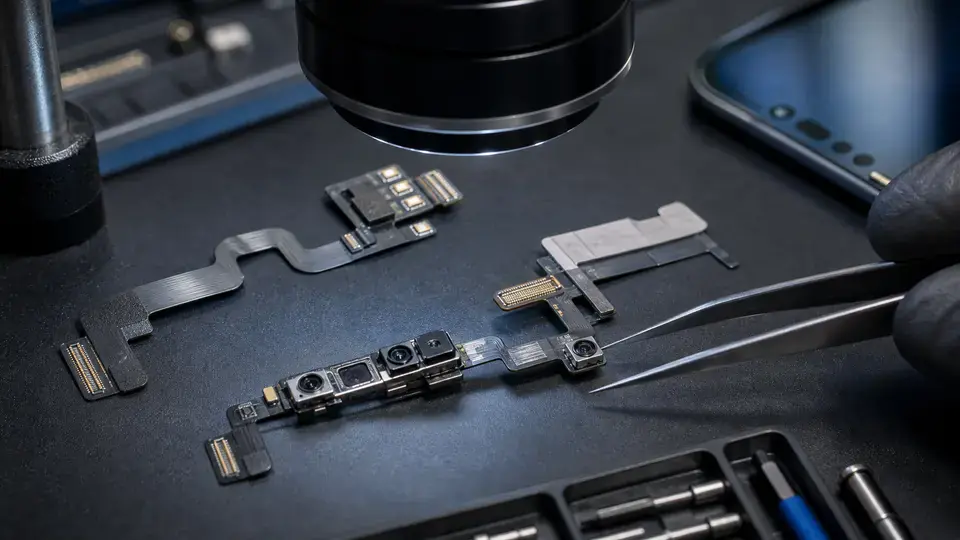
On every Face ID iPhone, the TrueDepth system lives in the notch or the Dynamic Island. It is not one part. It is a cluster of small components, including the flood illuminator (an infrared emitter that lights your face) and the dot projector (which casts roughly 30,000 invisible IR dots so the phone reads depth, not a flat image). These ride on a thin front sensor flex that runs underneath the display assembly.
Because that flex is tucked behind the screen, every screen replacement forces the technician to separate the original sensor assembly from the old glass and transfer it onto the new screen. The flex is delicate. It tears, kinks, or lifts a connector pad with very little provocation. When someone rushes, works without the right tools, or does not respect how thin that cable is, it gets damaged in the transfer. That single torn flex is the most frequent reason Face ID dies after a screen job, of the last 20 or so “Face ID gone after screen” phones at our Repair Center, the flood-illuminator flex was the failure point on the clear majority.
Why a new module alone will not save you
Here is the part that surprises people, including a lot of repair shops: you cannot just buy a fresh TrueDepth module and plug it in. Apple serial-pairs the dot projector to the Secure Enclave on the logic board. The projector is cryptographically tied to that specific phone at the hardware level.
So if a shop drops in a donor assembly, Face ID still will not work. The phone checks the projector’s serial against what the Secure Enclave expects, sees a mismatch, and refuses to enable Face ID. This pairing is by design, it stops someone from grafting a stranger’s biometric hardware onto your device. But it also means the original sensor has to come back into the picture, one way or another.
Face ID is not a part you can swap. It is a relationship between your original dot projector and your phone’s Secure Enclave, and that relationship has to be preserved.
Why the Apple Store just replaces the phone
Take this to an Apple Store or carrier counter and the usual answer is a whole-device replacement, often at a price close to a new phone. That is not them being difficult. Their workflow is built around swapping certified modules and re-pairing them through Apple’s internal systems, and when the original sensor is damaged, that path dead-ends at “replace the device.” What they do not do is component-level work: opening the sensor flex, recovering the original dot projector, and rebuilding the assembly. That lives in independent microsoldering labs like ours.
How we actually fix it
When the original sensors are intact and only the flex is torn, Face ID is repairable and the phone keeps its original pairing. Keep your original sensors, give them a healthy new flex, and carry the serial across so the Secure Enclave still recognizes them. In practice:
- Diagnose exactly what is broken under the microscope, a torn flex, a damaged flood illuminator, and a damaged dot projector are three different repairs with different odds.
- Desolder the original flood illuminator from its damaged native flex with hot air, clean the pads, and reball or microsolder it onto a known-good replacement flex.
- For dot projector damage, transfer the original projector onto a new dot flex, then use a programmer to read the original serial off the dead flex and write it across, and secure the optics so the projection geometry is intact.
- Reprogram the serial so the rebuilt assembly matches what the Secure Enclave expects, then test enrollment end to end before the phone leaves the Repair Center.
This is patient microscope-and-hot-air work, not a parts swap. It is also honest work: if your original flood illuminator or dot projector is physically shattered rather than just sitting on a torn flex, we will tell you plainly, because at that point no soldering brings the biometric data back. More on our Face ID repair service page and the technical detail on our iPhone Face ID repair page.
How to avoid the whole problem
The best fix is the one you never need. Face ID failure after a screen replacement is almost always preventable, and it comes down to how the front sensor flex is handled during the swap. A careful technician transfers that flex slowly, with the right tools and adhesive, and treats it as the most fragile thing in the phone. If you are getting a screen done, ask the shop directly how they handle the Face ID flex transfer and whether they test Face ID before returning the phone. When we do a screen replacement, the sensor transfer and a Face ID functional test are part of the job.
If your Face ID is already gone
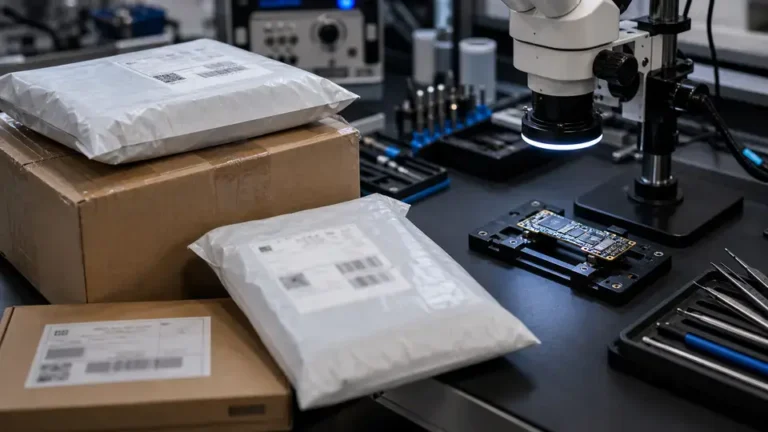
If you are reading this with a phone that already says “Face ID is not available,” you have not necessarily lost it for good. Bring it in. Our $65 written diagnostic tells you which component failed and whether your original sensors survived, and that fee applies toward the repair if you go ahead. We are walk-in here in Clarendon and we take tracked mail-in from all 50 states. After eleven years of board-level work, we would rather save your original sensors than tell you to buy a new phone, and we will be straight about which one is actually possible. Start with our iPhone Face ID repair page.