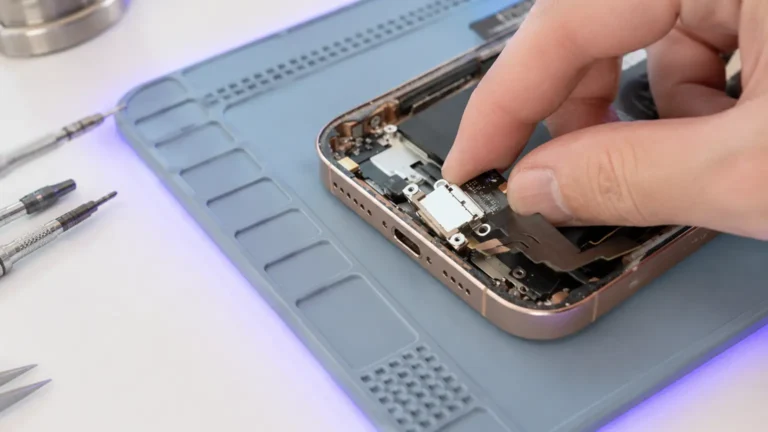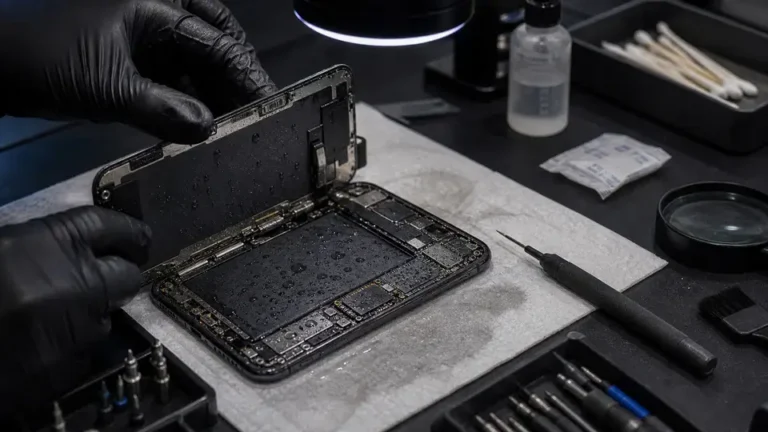
An iPhone 12 landed at our Repair Center last month doing the classic thing: boots to the Apple logo, holds for nine seconds, black, logo again. The owner had already done two factory restores at a carrier store and bought a “genuine” battery off a marketplace. None of it mattered. At our Repair Center PSU the board pulled a clean 0.00A at rest, jumped to 0.42A trying to boot, then snapped back to zero the instant the backlight rail tried to come up. That is not a software loop. That is a rail collapsing under load.
We see this confusion constantly. People assume a phone that won’t stay on has a corrupted OS, because that is the story the internet tells. In 11 years at the Repair Center, the overwhelming majority of true random restarts and hard boot loops we open are hardware, a battery that can’t hold voltage under load, a shorted rail, or a PMIC that browns out. Software loops exist, but they look different, and we’ll tell you how to tell them apart.
Software loop or hardware loop, how do you tell?
The fastest tell is the pattern. A software boot loop is usually consistent and survives a clean restore: it loops at the same point every time, often after an OS update or a jailbreak, and DFU-restoring to fresh firmware fixes it. If a restore holds, you were in software.
A hardware loop is rude and inconsistent. It restarts mid-use, in your pocket, at random battery percentages. It might run fine on the charger and die the moment you unplug. It survives a restore unchanged, because the bits were never the problem. When a customer tells us “it reboots when I open the camera” or “it dies at 40% but the icon still shows 40,” we stop thinking about iOS entirely. Those are load events. Opening the camera spikes current. A weak battery or a sagging rail can’t deliver it, the voltage dips below the brownout threshold, and the PMIC pulls the reset line. Reboot.
Is it the battery or the board?
This is the question that saves people money, so we test it first. The battery is the cheapest, most common, and most lied-about part in the chain. A battery can read 4.0V sitting idle and sag to 3.2V the instant the phone demands current, and 3.2V under load is below where the PMIC will hold the device up. That is a textbook random restart, and it is a $79-$129 fix, not a logic-board job.
At the Repair Center we don’t trust the battery icon. We check the battery’s actual behavior under load, look at cycle count and the real designed-vs-full capacity in the data, and, critically, we substitute a known-good battery and try to reproduce the fault. If a fresh, properly seated OEM-equivalent battery makes the restarts stop, you’re done. We’ve had customers fight us on this because they “just” replaced the battery; about a third of those “new” batteries were either counterfeit cells or never properly bonded to the board’s battery connector.
If a known-good battery doesn’t fix it, we move to the board, now we’re hunting a rail.
Reading the rails: PSU current and diode-mode
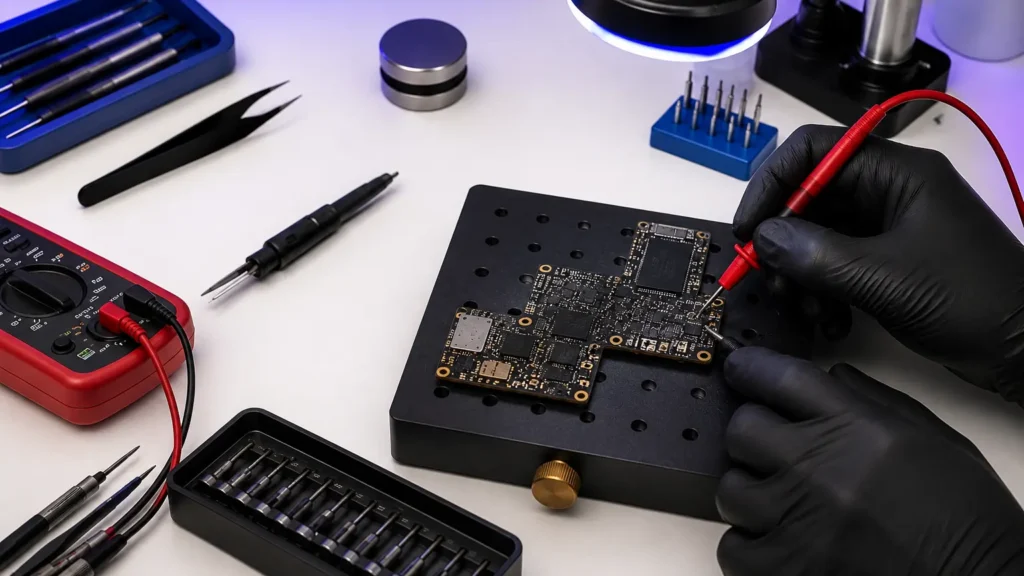
Two instruments do most of the work here: a Repair Center DC power supply and a multimeter in diode mode. We power the board from the PSU at 4.2V (bypassing the battery) and watch the current draw.
- 0.00A and nothing happens: usually an open, a blown fuse, a missing rail, a dead PMIC enable. The board isn’t shorted, it’s just not turning on.
- A dead short, board pulls high current and won’t rise off it: something is shorted to ground. We’ve opened boards that sat at a hard short at 0.7V on the main rail, drawing well over an amp and getting hot. That is a shorted capacitor or a failed IC pulling a rail down.
- The boot-and-die pattern: current climbs as the board tries to boot, then collapses, a rail browning out under load, exactly like our iPhone 12.
Then diode-mode. With the board off, we measure each major rail’s resistance-to-ground reading against a known-good reference. A healthy rail reads a normal diode drop; a shorted rail reads near 0.000 (a dead short to ground) or wildly low. That number points us at the offending component, a shorted output cap on a buck converter, a failed backlight boost, a cracked PMIC. On liquid-damaged boards especially, of the last ~50 we opened we found a low-side short on a power rail more often than not, usually a corroded inductor or cap bridging to ground.
When the culprit is a specific chip
Some random-restart cases trace to named ICs. A failing PMIC can’t regulate cleanly and resets under load. A degraded charging IC, Tristar/Tigris U2, can cause power instability, especially after a bad third-party charge port or a liquid event. Backlight boost circuit faults can cause a reboot the instant the screen tries to light up, which reads as a logo loop. We isolate these with diode-mode and by scoping the rail, then it’s a BGA job: pull the chip, clean and reball the pads, reflow a new one. That is microsoldering, and it’s where a $65 diagnostic earns its keep, it tells you whether you’re buying a battery or a board repair before you spend a dime on parts.
When we tell you not to repair it
Honesty: not every boot-looping board is worth saving. If a board has multiple shorted rails from severe liquid corrosion, or the short sits under the SoC/PMIC stack with collateral damage, the repair cost can approach a replacement device. We’ll tell you that plainly after the diagnostic. The exception is when the data matters, if the photos aren’t backed up, recovering the board (or the NAND) may be the only path to them, and that calculus is different from “is this phone worth fixing.”
What to do before you bring it in
- Note the pattern: does it restart on the charger, off it, at a specific app, at a specific percentage? That detail narrows our search fast.
- Do one clean restart and, if you can, one DFU restore. If that fixes it, it was software and you’re done.
- Don’t keep buying batteries off marketplaces hoping the next one sticks. Bring it to a Repair Center that can actually measure the rails.