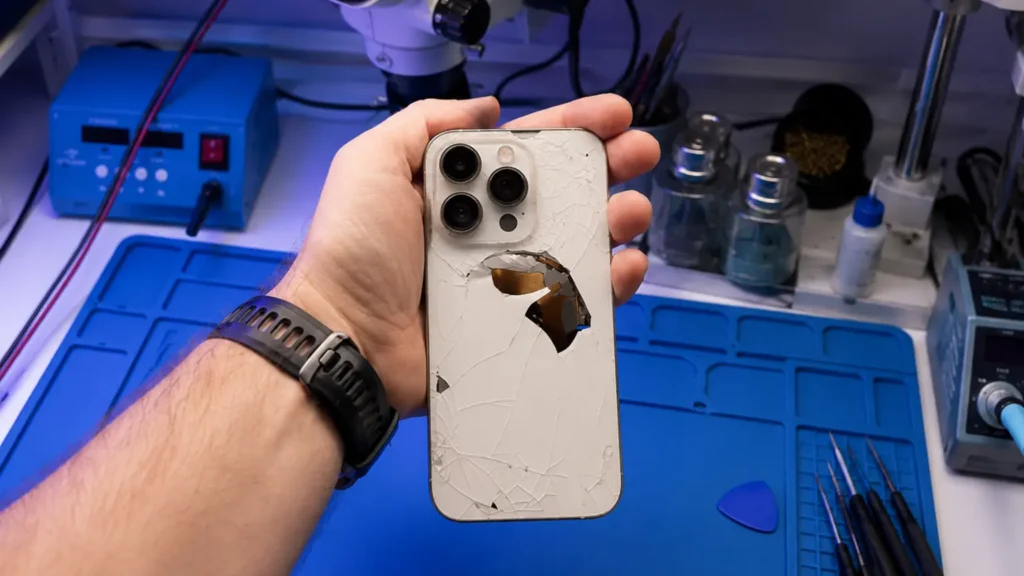
A customer brought us an iPhone 14 Pro that someone else had “fixed.” The back glass looked fine. But it no longer charged on a Qi pad, MagSafe wouldn’t snap, and the camera bump sat slightly proud of the frame. We opened it: a full aftermarket housing had been fitted, the logic board and everything else transplanted across, and the MagSafe magnet ring had been reinstalled crooked. That is the difference between a back glass job done fast and one done right.
On every iPhone from the 8 onward, the rear glass is bonded to the aluminum chassis with a thin, aggressive adhesive, and on the back of that glass, on many models, live antenna lines, the wireless charging coil seat, and the magnet array. So “replace the back glass” actually splits into two completely different repairs.
What does laser back glass separation actually do?
The correct method for a cracked-but-otherwise-fine phone is laser separation. We mask the housing, then run a CO2 laser machine across the rear in a programmed pattern. The laser’s job is narrow: heat and char the adhesive layer between the glass and the chassis so the broken glass releases cleanly, while the aluminum frame, the antenna flex, the coil, and the magnet ring all stay exactly where Apple put them.
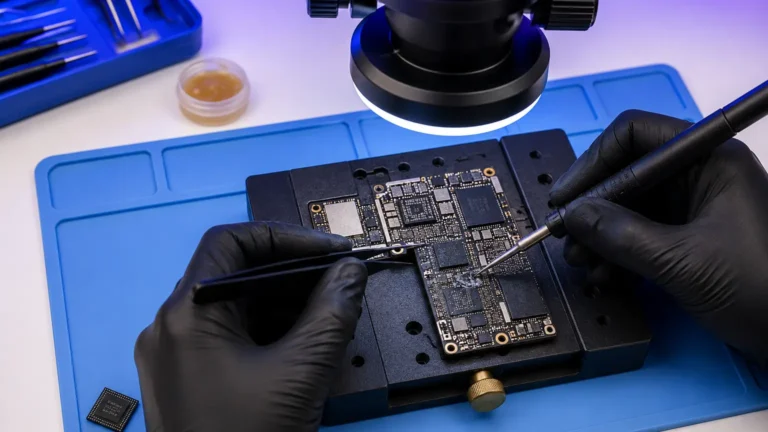
Then it is patient picking. Shattered back glass on these phones doesn’t come off in one piece, it comes off in chips and slivers, sometimes 40 or 50 of them on a badly spidered iPhone 13. We work under the microscope with picks and tweezers, lifting fragments without gouging the antenna lines printed near the camera island. We clean the old adhesive char off with solvent, lay fresh pre-cut adhesive, seat the new glass, and clamp it. Done properly, the only thing that changed is the glass. Charging coil untouched, MagSafe untouched, frame dimensions identical.
When do we swap the whole housing instead?
Sometimes the glass isn’t the only casualty. If the aluminum frame is bent from a hard drop, if the chassis is corroded from a liquid event, or if a previous shop already mangled the antenna flex during a botched attempt, separating glass off a damaged frame is pointless. That’s when a full-housing swap is the honest call.
But understand what that means: a full housing replacement is effectively a complete teardown. Every component, logic board, cameras, Taptic Engine, battery, charging port flex, speakers, buttons, comes out of the old chassis and goes into a new one. It is hours of work, and on Face ID phones there are flex cables that do not tolerate repeated handling. It is more invasive, more expensive, and carries more ways to introduce a new fault than a clean laser glass job.
So our rule at the Repair Center is simple: laser-separate the glass whenever the frame is sound, and only swap the housing when the frame itself is the problem. Anyone leading with “we’ll just replace the whole back” on a phone that only has cracked glass is choosing the easier-for-them path, not the better-for-you one.
Why the method decides whether wireless charging and MagSafe survive
This is the part people don’t see coming. The wireless charging coil and, on Pro and recent models, the MagSafe magnet array and alignment magnet, are precision-located. Qi and MagSafe both care about coil-to-coil distance and magnet position. Move that coil a millimeter, add a layer of glue under it, or reinstall the magnet ring rotated, and you get exactly what that iPhone 14 Pro showed up with: no Qi, weak or no MagSafe snap, slow or intermittent charging.
Laser separation protects all of this because it never touches those parts, they were never removed. A housing swap puts the burden on the technician to transplant the coil and magnets perfectly. Some cheap aftermarket housings ship with no magnet array at all, or with magnets in slightly wrong positions, and the customer only finds out when their wallet stand stops holding.
What a proper back glass job looks like when you get it back
A clean job is almost boring, which is the point. The new glass sits flush, run a fingernail across the edge where glass meets frame and you shouldn’t catch a lip. No adhesive squeeze-out around the camera island. The camera lenses are clear with no glue haze. Drop it on a Qi pad and it charges. Bring a MagSafe charger near it and it snaps with that firm, centered pull. The frame still feels like one solid piece.
What you should not accept: a back that flexes or clicks, gaps you can see light through, a camera bump that stands proud, dead wireless charging, or a MagSafe ring that won’t grab. Those are the fingerprints of a rushed housing swap or a separation done without the laser, pry-only attempts that crack frames and tear antenna lines.
In 11 years we’ve learned the back glass is rarely “just glass.” Treat it as glass over antennas, a coil, and magnets, and you do the job right the first time.
Our honest take
If your iPhone 8 or newer has cracked back glass and a straight, undamaged frame, laser separation is the answer, it’s faster for you, cheaper, and it preserves the wireless and MagSafe hardware you paid for. We start every one with our $65 diagnostic, credited toward the repair, and that look tells us whether the frame is sound enough for separation or whether a housing swap is genuinely warranted. Glass and adhesive carry our 30-day aftermarket warranty; we’ll tell you up front which path your specific phone needs and why, before we touch the laser.